
K Today · 09:12
Checking permissions…
Approval needed
Approved · Priya
Granting access…
Access granted · 09:42
IT, solved
with Resolver.
Your AI-powered IT engineer,
available in Slack, Teams, and Google Chat.
Resolver gives your team instant technical support, right where they already work. It doesn't just tell them how to fix IT problems — it fixes them.
- Instant technical support, 24/7
- Diagnoses and fixes everyday IT issues — with your permission
- Brings in an expert engineer when needed — in the same chat, with all the context.
 ###
####resolver

Today

I'm locked out of my laptop and I've got a client call at nine 😬
Got it — your account locked after three failed sign-ins. Unlocking now and sending a reset link to your phone. Two seconds.
You're back in. The reset link is on your phone — it expires in 15 minutes.
✓ Access restored · 08:59you legend
🙌
Resolver
ChatFiles

Tom
▶0:09
Transcript"Hey, Outlook keeps asking for my password and won't let me in."
Resolver
Got it, Tom — your Outlook credentials went stale after Friday's password change. Shall I clear them and sign you back in?
ApproveNot now
Tom
Approve · approved 14:23
Resolver
All done — Outlook's signed back in.
✓ Resolved · 14:23
✓ Resolved · 14:23
←

Resolver
⌄ ChatFiles

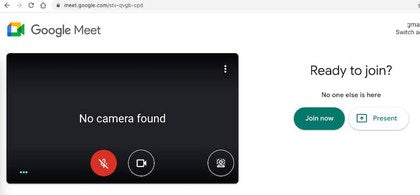
My camera's stopped working. Meeting in 5 mins — help?
I've got it. Let me check your camera.
✓Camera permissionsAllowed
✓Camera serviceRunning
!Device driverNot loading
The driver isn't loading. This one needs an engineer — I've sent them everything.
Klyk engineer joined
RA
Hi Karim — I've got the diagnostics. I'm on it.
Driver reinstalled. Give the camera a try.
✓ Camera working · 10:57









*Trusted by Klyk.
What can it solve?
From password resets to specialist support.
Explore the everyday IT jobs Resolver can diagnose, fix and take care of for your team.
Reset passwords.
Update permissions.
Grant access.
Resolver can take care of common access and admin requests, with the right approvals built in — taking simple fixes from waiting to solved, there and then.
- Password & 2FA resets
- Email signature updates
- File, drive & group access
- Supported Google Workspace & Microsoft 365 admin
- Calendar permissions
Don't let a quick fix keep you from your day.Resolver handles routine IT requests in minutes.
Solved
A Resolver board with three columns — Requested, Fixing and Resolved. Three access and admin requests move across it: an email signature, a 2FA reset and a finance drive request. A counter falls from three as each one is resolved, and the board reports Tasks complete, 3 of 3 resolved.
Hardware &
software diagnostics
Resolver connects to your IT environment so it can investigate your device directly — checking its health, processes, permissions, files and logs to diagnose everything from a camera that won’t connect to a laptop that’s suddenly slowed down.
- Diagnose from symptoms
- Slow laptops
- Frozen or crashing apps
- Camera & mic problems
- Login & permissions issues
- Wi-Fi & connectivity
- Software problems
- Performance issues
Just describe the symptom.
Resolver will find the cause.Resolver investigates, diagnoses, and fixes the issue for you. Fixed
Resolver will find the cause.Resolver investigates, diagnoses, and fixes the issue for you. Fixed
An employee says their laptop keeps freezing when they open Chrome. Resolver identifies the device, completes three checks — system health, recent processes, logs and permissions — then identifies high memory usage, naming the process responsible, and begins fixing the device.
Monitor. Self-heal.
Prevent.
Resolver keeps an eye on the health of your devices in the background. When it spots something starting to go wrong, it can take action before it becomes a problem that interrupts your work — keeping laptops healthy, fast and ready to go.
- Device health monitoring
- Performance issues
- Frozen apps
- Unnecessary files & caches
- Preventative maintenance
- Scheduled restarts
- Early signs of device problems
- Software updates
Fixing your device…Resolver diagnoses, fixes, and prevents issues before they occur.
Fixed
Resolver monitors a MacBook Pro in real time and is part-way through preventative maintenance: temporary files cleared, performance optimised, security updates and a restart still to run.
IT Engineer Escalation
When Resolver can't — or shouldn't — resolve something itself, it brings in a Klyk IT engineer with the conversation, diagnostics, attachments and actions already captured, so your engineer can pick up where Resolver left off.
- Original request
- Screenshots & attachments
- Conversation history
- Actions already taken
- Diagnostics
- Outcomes
Routed to the right support
-
Your IT team
Your existing IT support team.
-
Klyk engineers
IT support provided by Klyk.
You choose where human requests go.
When Resolver needs a human, you don’t start again.Your engineer gets the context, diagnostics and actions already taken.
With engineer
A Klyk IT engineer, James, has joined the same conversation and says he already has everything he needs from Resolver. The original issue, the device, the diagnostics, logs and screenshots are all attached, and the call is ongoing.
See it in action
Watch Resolver handle everyday IT.
Three requests your team raises every week, solved, by Resolver.
01 · 60-second password resetLocked out? Solved in 60 seconds.
Watch Resolver reset a forgotten password and restore access in under a minute.
02 · Text, images & voice notesShow it or say it. Resolver gets it.
Send a screenshot, image or voice note. Resolver understands the problem and resolves it.
03 · Self-healing devicesSlow device? Self-healed.
Resolver finds what’s slowing the device down, fixes the cause and restores its performance — automatically.
Why Resolver
IT support, done differently.
Resolver combines the speed and intelligence of AI with the control, context and human expertise good IT support needs.
Fixes it for you, group 1 of 4
A generic support reply lists seven steps for the employee to try. The employee writes that their camera isn't working. Resolver strikes the list out and pushes it aside, opens the camera permission instead, finds it blocked, switches it to allowed, and the camera preview comes on. Camera permissions restored at 09:15.
IT support that acts.
Resolver doesn't just give you instructions or add another task to a queue. It works out what's wrong and, where it can, fixes it for you.
An employee's video calls keep freezing and the laptop fan is running hard, with memory at 91 per cent. Resolver looks inside the device and finds a video-background process still running after the app was closed. It isolates that one process, stops it and clears its cache. Memory falls to 34 per cent, the camera preview becomes smooth again and the video service reports ready. Stalled video process removed at 10:27.
Fix the cause, not just the symptom.
Resolver can look deeper into your device to understand what's actually going on. — then take the right action to put it right, for the long term.
A laptop is connected to a presentation-room display. At 12:38 Resolver detects a display driver conflict and the room screen starts to drop out. Resolver repairs the driver and runs a display test, which passes at 13:12. The quarterly presentation at two o'clock is marked ready, more than half an hour before it starts.
IT that gets ahead of the problem.
Resolver's self-healing capabilities proactively take care of your tech., helping things run smoothly, before small issues become bigger ones.
A password reset and a drive-access request both pass Resolver's boundary and complete. A request to delete a user account reaches the boundary, stops, and is sent to a senior person inside the business to approve instead.
The power of AI, with guardrails built in.
Resolver uses AI to understand what you need, then works within a controlled set of trusted IT actions., informed by thousands of real support tickets handled by Klyk's team of IT engineers.
A request for finance drive access waits at approval required. Amna presses Approve, the button depresses, the status changes to approved, and only then does Resolver grant the access at 10:15.
AI that asks before it acts.
Set custom access and approval levels so the right person gives the go-ahead when it's needed. Sensitive actions require approval, with additional safeguards for actions that need a higher level of security.
Resolver reads the organisation's own settings one row at a time — devices, systems, policies, processes, permissions and security — confirming each before it is configured.
Made for your business, not just any business.
Resolver is configured to your environment and works within your policies, processes, permissions and security requirements. — tailoring its responses and actions to your devices and systems, while respecting the controls that protect your organisation.
Someone writes my laptop's being weird, adds a screenshot and an eight-second voice note. Resolver reads all three as one request and starts checking the device.
No IT degree required.
Send a message, screenshot or voice note and explain your query however makes sense to you.
Technical terminology and step-by-step breakdowns not required. Resolver meets you where you are, explains things simply, in your preferred language, and fixes it for you.
The same Resolver conversation appears in Slack, Microsoft Teams and Google Chat. The channel changes; the conversation does not.
Help, where you already work.
Resolver lives in your workplace chat, so there's no new portal to learn, ticket form to fill out or support platform to navigate.
Just ask for help where you already work.
Tom's request and Resolver's diagnostics stay in one thread. James, an IT engineer, joins the same conversation, with the conversation, diagnostics and actions already taken attached.
Never explain it twice.
When your query needs an IT engineer, they join the same conversation with your question, Resolver's diagnostics and the actions already taken.
Resolver and your engineer can work together to find the best solution — without you starting again.
A password reset, a laptop problem, a new starter set-up and a refresh of twelve laptops all enter the same support path. Resolver resolves what it can; the largest reaches an engineer.
From the little things to the big ones.
From a password reset or a laptop playing up to onboarding a new starter or a bigger change that needs an engineer., Resolver gives your team one place to get IT sorted — so you can get back to your day.
A request runs from first message through diagnosis, action and an engineer joining, to resolved. Each step is timestamped in an activity history as it happens.
Accountable from first message to resolution.
Resolver stays with the issue as it's diagnosed, acted on and, when needed, picked up by an IT engineer. Every action is accounted for, tracked and visible along the way.
At five past nine on a Thursday evening someone asks Resolver for the Q3 deck before half past. Resolver finds it and shares it to their drive, resolved at 21:06.
IT support whenever work happens.
Your IT issues don't stick to the 9–5, so neither does Resolver. Resolver is available 24/7, so retrieving that presentation doesn't have to wait until sunrise.
AI + Human
IT support always needs a human touch.
Resolver combines intelligent action with human care. Its help is grounded in real-life workplace IT experience, while sensitive or complex situations that require a human touch can always reach an IT engineer who understands.
-
Employee asksResolver investigatesResolver actsHuman joins when neededResolved

-
Grounded in real-life IT
Resolver is shaped by the problems Klyk’s engineers solve every day, so its help is grounded in real human-IT experience.
-
Human Approval
Resolver shows what it has found and what it plans to do before taking an action that needs your approval. You stay informed and in control.
-
A human is always within reach
When sensitivity, complexity or personal judgement calls for a person, an IT engineer joins the same conversation as soon as they’re needed.
AI handles the everyday. Humans remain accountable, and a click away.
Human support, your way
Your IT team, or ours.
Resolver can connect with the support model you already have. When human expertise is needed, it can bring in your existing IT team or route the request to a Klyk engineer, with the conversation and relevant context already in place.
Resolver knows when to bring in a person. You decide who that person should be.

The future of IT
The biggest cost of IT
isn’t the bill.
It’s the time lost when technology interrupts the day and fixing it becomes somebody else’s job. Resolver keeps everyday IT handled, so the working day stays protected for your business.
-
Your day keeps moving
Everyday IT issues stop becoming interruptions. People get help quickly, without waiting in a queue or losing momentum.
-
Fewer things land on you
Routine IT stops falling to founders, office managers and operations teams already carrying a full workload.
-
Problems that never happen
Hidden device issues are addressed before they become failures that interrupt an important meeting, deadline or customer moment.
-
Your IT team gets its day back
Your IT team spends less time on password resets and repetitive troubleshooting—and more time on work that moves the business forward.
-
Devices stay useful for longer
Performance issues no longer lead so quickly to unnecessary replacements, helping existing devices remain productive for longer.
-
Everyday support costs less to deliver
Less expert time is spent on repetitive requests, leaving more of your IT budget for work where it creates greater value.
Powered by Klyk
New technology.
Years of real-world IT.
Resolver is built by Klyk, the team trusted by growing businesses to support their people and technology. We’re bringing our real-world experience into a faster, simpler way to get everyday IT resolved.
The product leader behind Resolver.
Ali Sarraf brings a decade of experience building trusted technology at global scale to Resolver.

Ali Sarraf
Co-founder and CPTO, Klyk
Ali leads the product and technology behind Resolver. Before Klyk, he spent 10 years at Google launching products used by billions of people, including Google Password Manager and Chrome Autofill. Ali brings together product thinking, technical depth and a clear understanding of how to make complex technology feel simple and dependable.
- 10 years at

- Products used by billions
- Google Password Manager
- Chrome Autofill
“If you’re looking for an IT partner who can support you and you want to find a friendly organisation who are innovative, who provide you with really high quality, sustainable kit, I couldn’t recommend Klyk more highly.”
 Marian CarsonCOO · Rewilding Britain
“The Klyk team are accessible, friendly and have a roll-up-your-sleeves attitude, as well as being super knowledgeable. I’ve noticed a drastic improvement in the quality of IT support since we brought them on board.”
 Caitlin SeamanPeople Experience Manager · Field
“Klyk has that perfect marriage of speed and intensity, but also a people-first approach. It felt like they knew the solutions to our problems before I even did.”
 Harry RowlandPeople Manager · Healf
Trusted by teams including














- Pip & Nut
- Brilliant Planet
- The Valesco Group
- Unifrog
- StudioXAG
COMPANIES KLYK WORKS WITH
Try Resolver free
Try Resolver free
for 7 days.
See Resolver handle your everyday IT for five people in your workplace chat. We’ll set it up, support you throughout and show you the impact at the end.
Your 7-day trial includes
- Access for up to 5 people
We’ll configure Resolver for up to five people around your workplace chat and security requirements.
- 5 hours of free expert IT support
Klyk engineers are available throughout the trial for questions, troubleshooting and anything that needs a human touch.
- Self-healing included
Resolver identifies and fixes supported device issues before they disrupt the working day.
No commitment. The trial ends after seven days, with no obligation to continue.
Available where your team works
 Slack
Slack Microsoft Teams
 Google Chat


Free 7-day trial
Request your free trial
Tell us a little about your team and we’ll be in touch
to arrange the next step.
7-days·5 people·5 IT support hours·Self-healing
What happens next
From first conversation to final report.
We’ll handle the setup, help your team get started and stay available throughout the trial.
-
1See Resolver in action
A short conversation and a walkthrough, so you can see how Resolver handles the kind of requests your team raises.
-
2Set up around your team
We configure Resolver for five people, connect it to your workplace chat and set it up around your security requirements.
-
3Go live for seven days
Your team asks for help the way they already do, and we stay available throughout the week.
-
4See what changed
We walk you through what Resolver handled, how it helped and where it made a difference.
No long-term commitment and no obligation.